> For the complete documentation index, see [llms.txt](https://scanslibrary.gitbook.io/procdural-world-generator-ue5/llms.txt). Markdown versions of documentation pages are available by appending `.md` to page URLs; this page is available as [Markdown](https://scanslibrary.gitbook.io/procdural-world-generator-ue5/multi-biomes/getting-started/sample-maps/island-map.md).
# Island Map
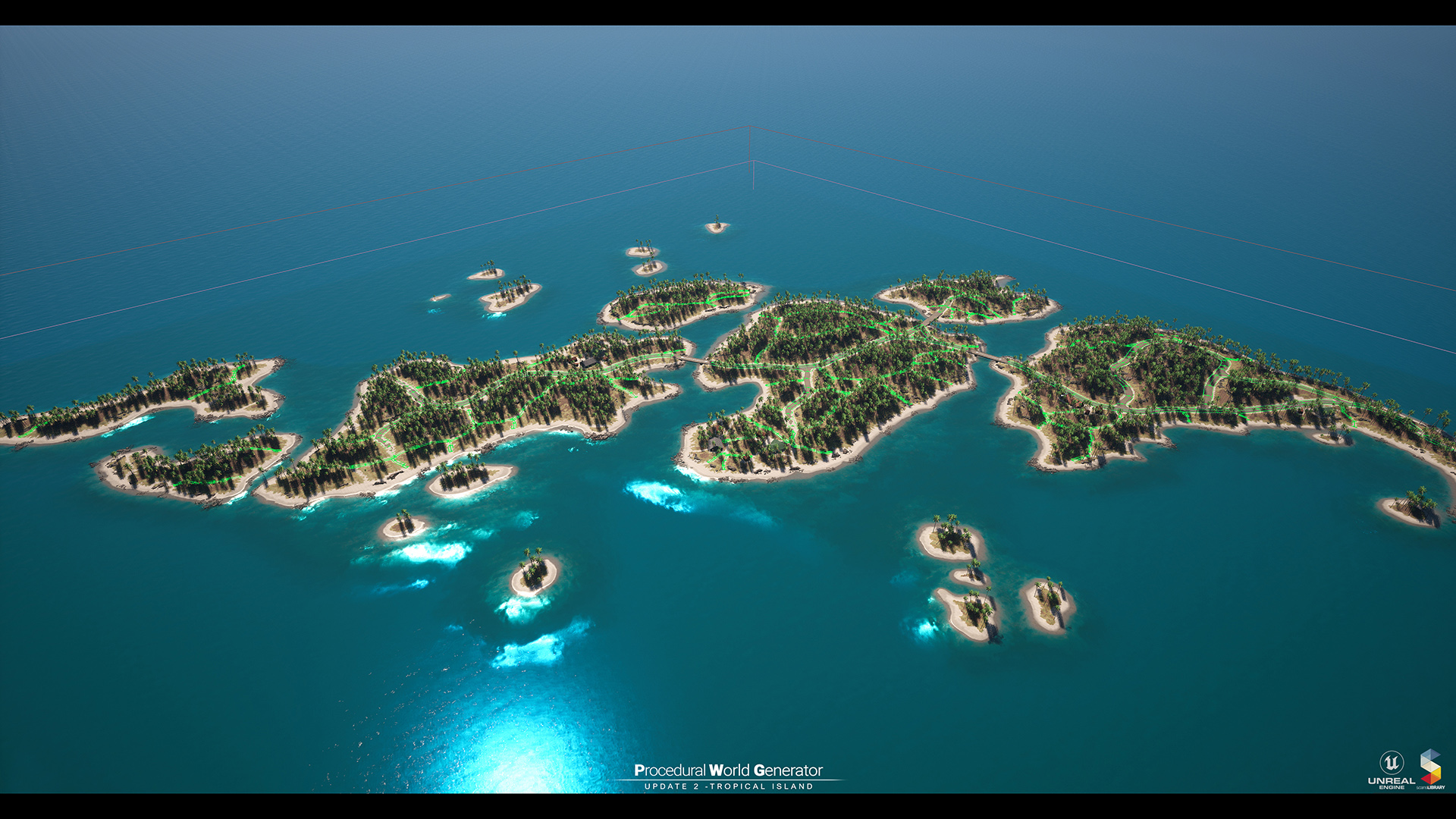
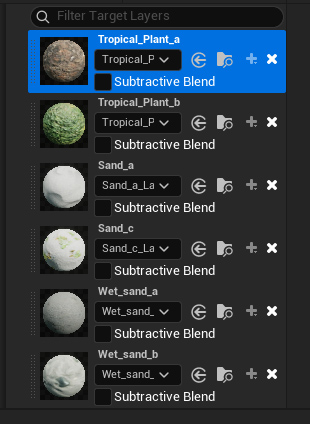
All plants are placed procedurally in the **Tropical Island Ecosystem**. Simply paint the landscape with "**Tropical\_Plants\_a**" and "**Tropical\_Plants\_b**." Then, when you add "**PCG\_Tropic\_Island**" to your map, the plants will spawn.
{% hint style="danger" %}
You must activate the "Water System" plugin for the ocean to work properly.
{% endhint %}
**For an example, see Maps/PWG\_Island.**
**Island Landscape Material** :
{% hint style="warning" %}
\\\Content\ProceduralWorldGen\Landscape\M\_TropicIsland\_Inst
{% endhint %}
{% embed url="" %}
{% hint style="danger" %}
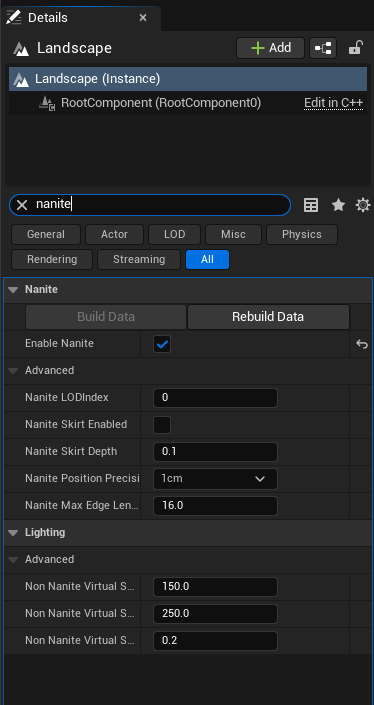
You must activate "**Nanite**" from the Landscape feature to use **tessellation** on Landscape.
{% endhint %}
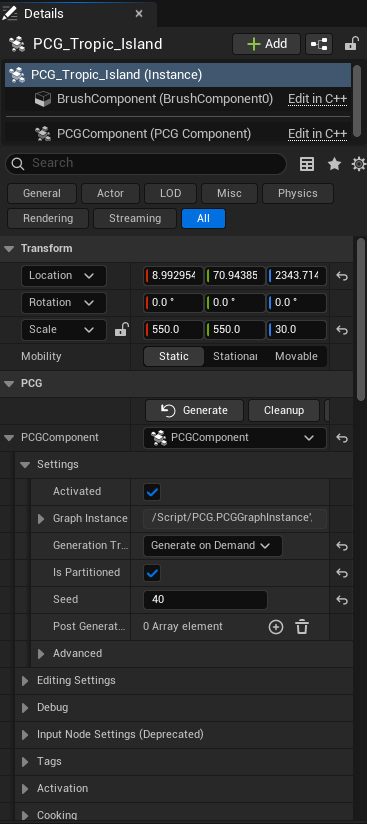
**Tropical Island PCG Settings-**
**PCG\_Tropic\_Island Root:**
{% hint style="warning" %}
\\\Content\ProceduralWorldGen\PCG\_Ecosystem\PCG\_Tropic\_Island
{% endhint %}
{% embed url="" %}
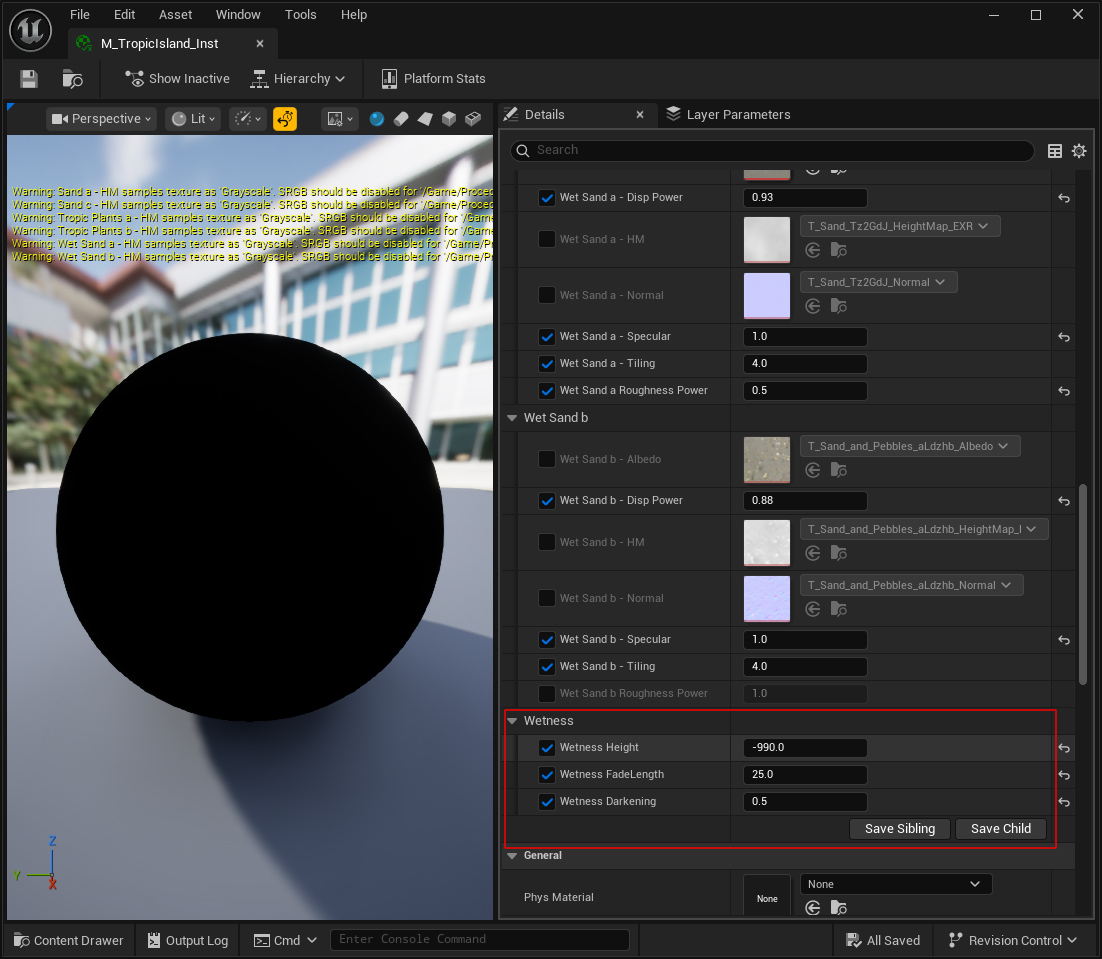
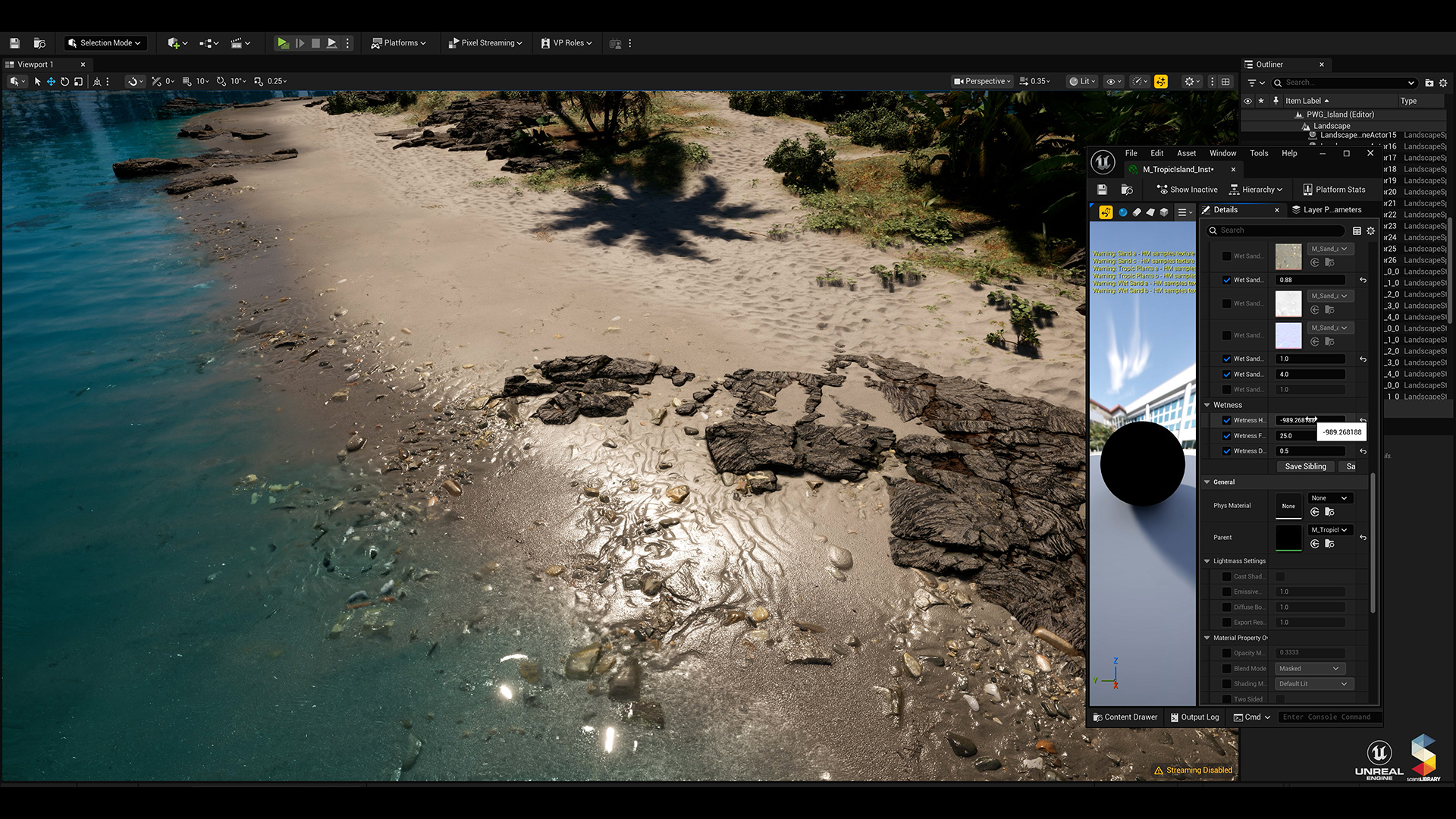
**Wetness Level -**
We've added a parameter to determine the landscape **wetness level**. This parameter will only display the **landscape** as wet.
{% hint style="danger" %}
Wetness Height: -1000 equals **0 meters** in world coordinates. For example, if you want wetness to reach 100 meters, you should set the Wetness Height to -900.
{% endhint %}
{% hint style="warning" %}
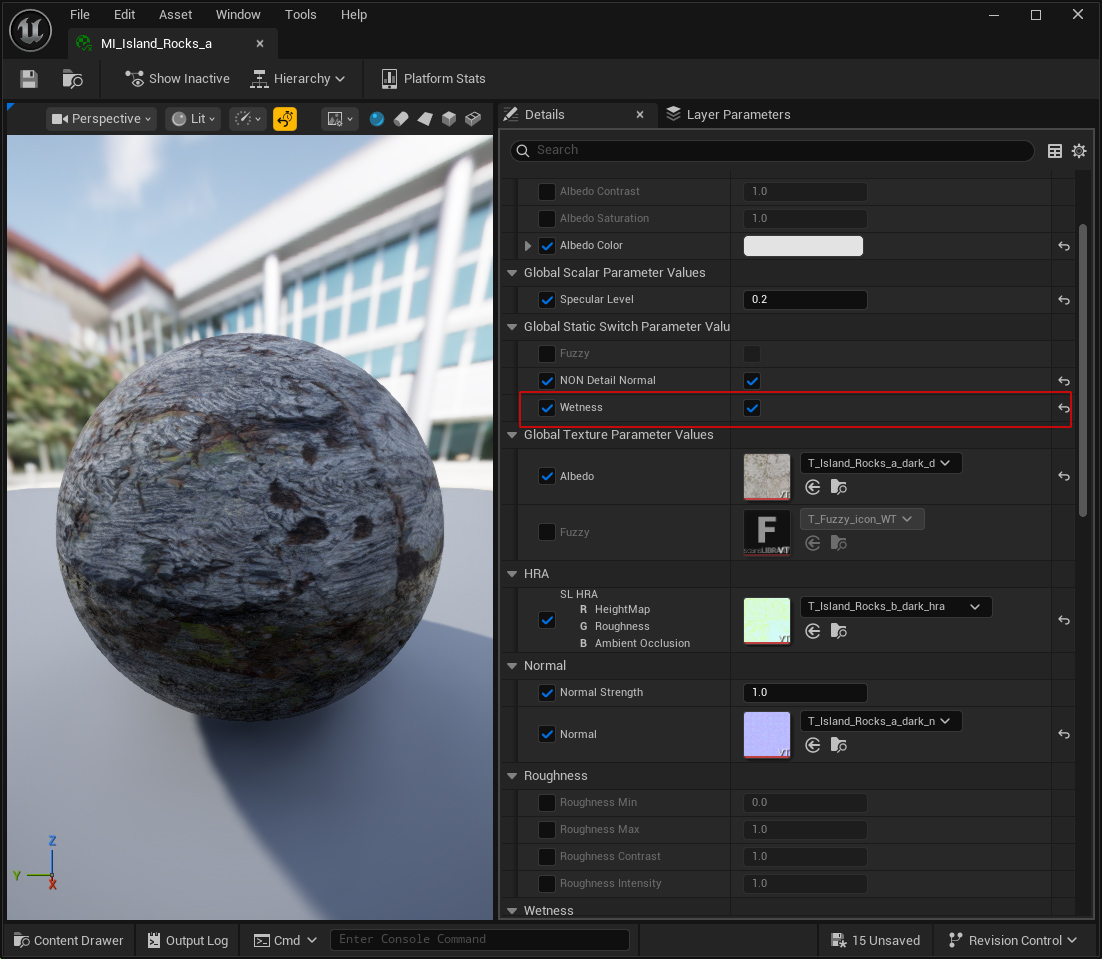
If there is an asset you want to be affected by, you must activate "**Wetness**" in the material of that asset.
{% endhint %}